Your business
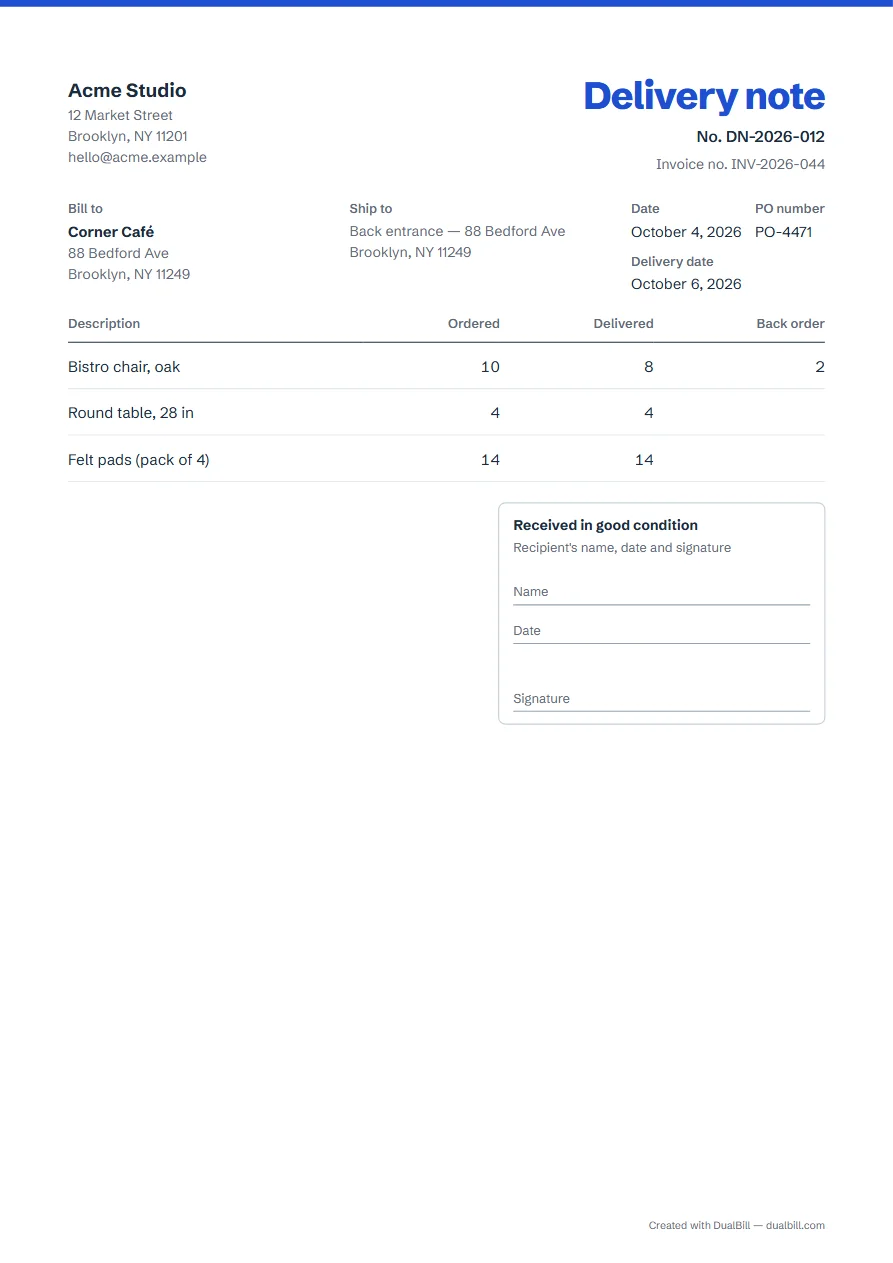
Delivery note
No. DN-2026-001
| Description | Ordered | Delivered |
|---|---|---|
| Add a line to get started. | ||
Received in good condition
Recipient's name, date and signature
Name
Date
Signature
List what you are shipping: for each line, the quantity ordered and the quantity delivered. Anything still owed appears as a back order. The note shows no prices unless you tick “Show prices and totals”, and it ends with a “Received in good condition” box for the recipient's name, date and signature. Download it as a PDF.
No sign-up · No watermark · Your data stays on your device
Your browser is blocking storage (private browsing?): this document will not be kept if you close the page. Download it before leaving.
This browser's storage is full: the document stays on screen but is no longer saved. Remove an image or delete old documents.
This document link is invalid or incomplete. Ask the sender to send it again.
Line deleted.
Total$0.00
| Description | Ordered | Delivered |
|---|---|---|
| Add a line to get started. | ||
When an order leaves in several shipments, give each shipment its own delivery note. Type what is actually in the box under “Delivered”; the “Back order” column then shows what is still owed, line by line, and only appears when something is missing.
Delivery notes have their own number series, DN-2026-001, then DN-2026-002, separate from your invoices.
A delivery note usually travels with the goods without prices, so whoever unloads the truck sees quantities only. If your customer wants amounts on it, tick “Show prices and totals” in “Line options”: unit prices, line amounts and totals are then worked out on the delivered quantities, not on the quantities ordered.
Open “My documents” and choose “Create a delivery note” next to an invoice or an estimate. The customer, the lines, the purchase order number and the ship-to address are copied, with today's date, and every line starts fully delivered. Under its number, the note shows “Invoice no.” or “Estimate no.” followed by the original number; the invoice or estimate itself does not change.
At the bottom, the “Received in good condition” box leaves room for the recipient's name, the date and a signature, on paper. It is never split across two pages. If the goods arrive on another day than the note's date, enter the delivery date under “Number and dates”.
We have not read any official rule on what a delivery note must contain, in any country this site covers. The generator therefore adds no wording presented as mandatory, and its checker only gives tips: your details, the customer, the number, the date, the lines and the delivered quantities.
Many businesses use both names for a list of what is in a shipment. For a United States document, this generator prints “Packing slip”, as on the packing slip page; elsewhere, “Delivery note”. You can rename the title in “Appearance”.
Yes. Tick “Add a second language” in “Languages and currency”: the title then reads “Delivery note” and “Albarán”, as on an English–Spanish invoice.
Yes, in this browser only: each note you download or share is kept in “My documents”.