Your business
Credit note
No. CN-2026-001
| Description | Qty | Unit price | Amount |
|---|---|---|---|
| Add a line to get started. | |||
Subtotal$0.00
Total$0.00
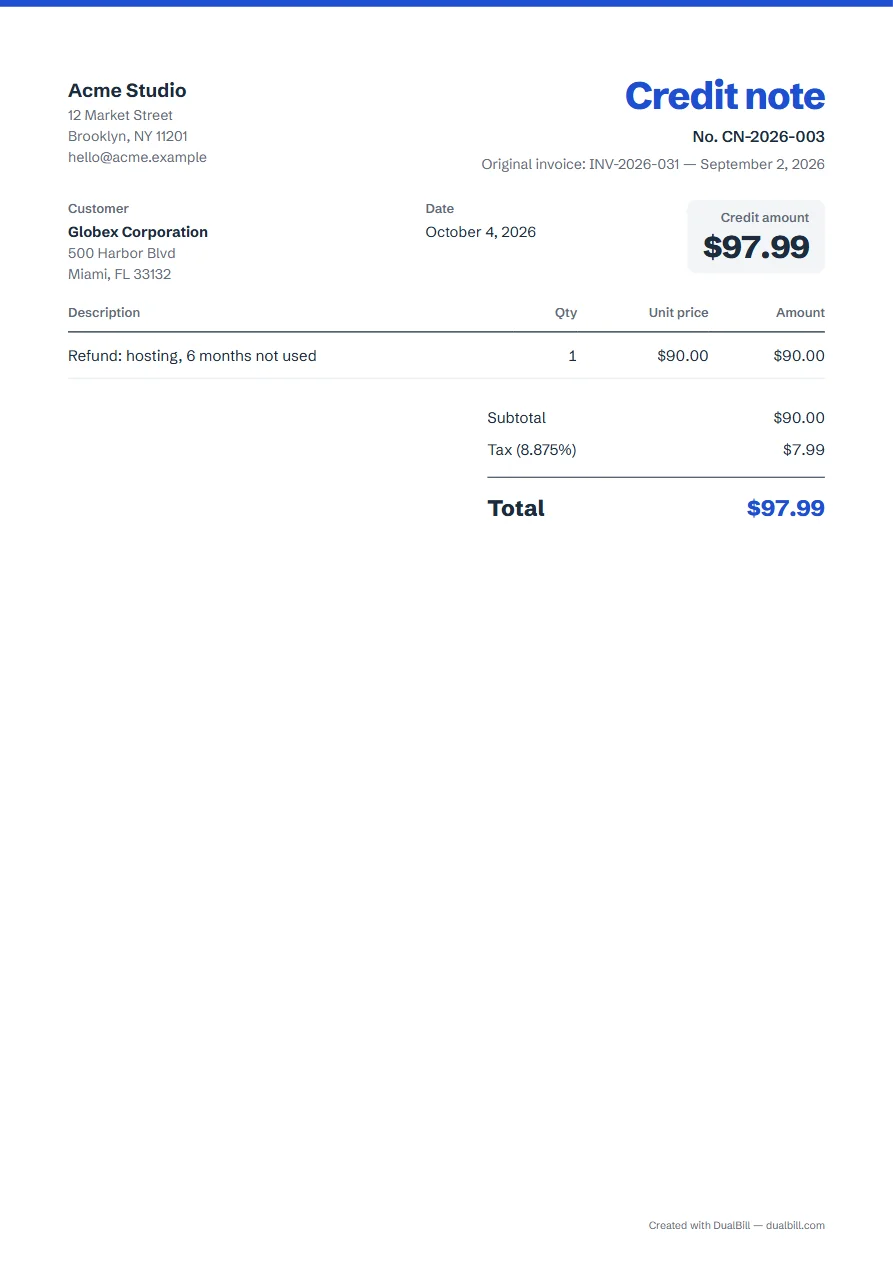
Choose “Credit note”, enter the number and date of the original invoice, then the items you refund or cancel: the document shows the “Credit amount” with tax. Download it as a PDF or send your client a link. It works for refunds, returns and price corrections.
No sign-up · No watermark · Your data stays on your device
Your browser is blocking storage (private browsing?): this document will not be kept if you close the page. Download it before leaving.
This browser's storage is full: the document stays on screen but is no longer saved. Remove an image or delete old documents.
This document link is invalid or incomplete. Ask the sender to send it again.
Line deleted.
Credit amount$0.00
| Description | Qty | Unit price | Amount |
|---|---|---|---|
| Add a line to get started. | |||
You have already sent an invoice and part of it no longer applies: a canceled job, returned goods, a discount agreed afterwards, a pricing mistake. It records the amount you owe back, while the original invoice stays as it was sent.
If the whole bill was wrong, include all of its lines, then issue a corrected invoice.
Once a bill has gone to your client, it stays as it was sent, with its number. To cancel it in full or in part, issue a credit note that refers to it; to fix a mistake, cancel it this way, then send a corrected one with the next invoice number. In the UK, a credit note shows the number and date of the original invoice and the VAT credited in sterling (HMRC, VAT Notice 700, § 18.2.3). We found no US federal rule on voiding one.
With “Credit note” selected, two fields appear near the top of the form: “Original invoice no.” and its date. The document prints them under its own number, so your client and your accountant can match the two documents.
Under “Required details”, the checker asks for the original invoice number when France or Spain is selected, and lists it as recommended elsewhere.
Enter amounts as positive numbers: the document presents them as the “Credit amount”, with subtotal, tax and total. It shows no due date and no payment link, since the money is owed to your client.
Credit notes get their own series: CN-2026-001, then CN-2026-002. For a United States document, the title reads “Credit memo”.
Did the original document mix tax rates? Under “Line options”, turn on “Different rates per line” and give each line its original rate. The document then prints a tax summary by rate, just like the one it corrects.
Keep the same currency and languages too, under “Languages and currency”, so that both documents read the same way.
That depends on what you agree: a refund, or a deduction from a future invoice. Say which under “Payment and notes”, for example “To be deducted from your next invoice”. Once the refund is paid, a receipt can confirm it.
The form holds one original invoice. If the credit covers several, list the other numbers and dates in “Payment and notes”.
Yes. Under “Languages and currency”, tick “Add a second language”: every label, including “Original invoice”, prints in both languages.
In this browser only. Each one you download or share goes to “My documents”, and nothing is sent to a server.