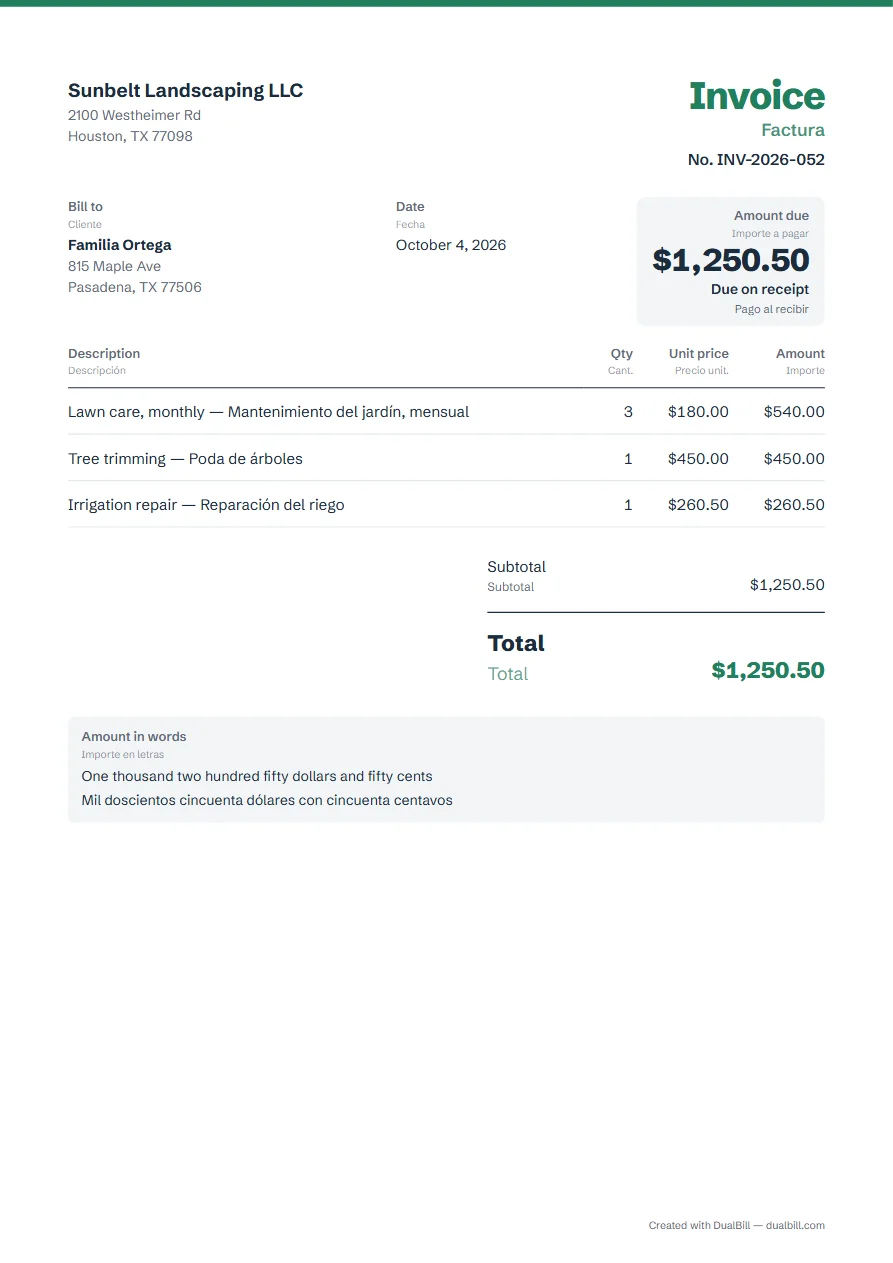
This invoice is ready in English with Spanish underneath: every printed label appears in both languages, such as “Invoice” and “Factura”, and the total can be written in words in each. It suits contractors in the US whose clients read Spanish, and businesses in Latin America. Fill in the form, then download the PDF.
No sign-up · No watermark · Your data stays on your device
Your browser is blocking storage (private browsing?): this document will not be kept if you close the page. Download it before leaving.
This browser's storage is full: the document stays on screen but is no longer saved. Remove an image or delete old documents.
This document link is invalid or incomplete. Ask the sender to send it again.
Line deleted.
Amount due$0.00
Your businessTu empresa
InvoiceFactura
No. INV-2026-001
Bill toCliente
—
DateFecha
October 25, 2026
Amount dueImporte a pagar
$0.00
Due by November 24, 2026
Net 30
A pagar antes del 24 de noviembre de 2026
30 días
DescriptionDescripción
QtyCant.
Unit pricePrecio unit.
AmountImporte
Add a line to get started.Agrega una línea para empezar.
SubtotalSubtotal$0.00
TotalTotal$0.00
Who reads which line
English is the document language, with each label translated underneath: “Amount due” above “Importe a pagar”, “Bill to” above “Cliente”. Your own text isn't translated, so write each line the way your client will understand it, for example “Lawn care — Mantenimiento del jardín”.
If your client would rather read Spanish first, make it the “Document language” in “Languages and currency”: the labels swap places, with English underneath.
Estimates: “Estimate” and “Cotización”
Switch the type at the top of the form to “Estimate”: the title reads “Estimate”, with “Cotización” underneath, the word most used across the Americas. For a document from Spain, the generator writes “Presupuesto” instead. Accepted estimates turn into invoices from “My documents”, with “Create invoice”.
Dollars, pesos and the total in words
Pick the currency in “Languages and currency”, then tick “Write the total in words” to print the amount in English and in Spanish: “One thousand two hundred fifty dollars and fifty cents”, then “Mil doscientos cincuenta dólares con cincuenta centavos”. It works for US dollars, Mexican pesos, euros and other main currencies; for a currency the generator can't name yet, the option is grayed out.
No US sales tax or Latin American tax rule is applied. Enter your rate yourself; the tax label underneath reads “Impuesto”, so rename it, for example to “IVA”, in “Appearance”, under “Document labels”, if your client expects another word.
Short English–Spanish glossary
The labels the generator prints in both languages, in the Spanish used for documents outside Spain; any label can be renamed in “Appearance”.
English
Español
Invoice
Factura
Estimate
Cotización
Receipt
Recibo
Credit note
Nota de crédito
Bill to
Cliente
Date
Fecha
Due date
Vencimiento
PO number
Orden de compra
Description
Descripción
Qty (quantity)
Cant. (cantidad)
Unit price
Precio unit. (unitario)
Amount
Importe
Discount
Descuento
Tax
Impuesto
Amount due
Importe a pagar
Amount in words
Importe en letras
Payment
Pago
Example of an English–Spanish invoice made with this generator (fictitious data).
Frequently asked questions
Is the Spanish from Spain or from Latin America?
The labels follow the Spanish of the Americas for documents outside Spain (“Cotización”, “Nota de crédito”). When the document's country is Spain, they switch to the terms used there (“Presupuesto”, “Factura rectificativa”). Both apply to the estimate and the credit note, which keep the two languages.
Can I send the invoice as a link?
Yes. “Share” creates a link that holds the invoice: your client opens it in any browser, on a phone too, and can download the PDF. Logos and signatures stay out of the link; send the PDF to include them. For a document in a single language, use the invoice generator.
Are my invoices saved?
Yes, in this browser only. Each invoice you download or share is kept in “My documents”. Nothing is sent to a server, so they don't appear on another device.